How to Make Sex Videos: 4 Methods Scored on Control
The fastest way to make a sex video in 2026 doesn't involve a camera, a partner's signature, or footage of your own body that could leak someday. Below, I score four ways to do it. The one that gives you the most control is the one where the star is a character you picked or built.
Four Ways to Make a Sex Video, Scored
Four Ways to Make a Sex Video, Scored
| Method | Real people needed | Consent & leak risk | Creative control | Character consistency | Effort to first clip |
|---|---|---|---|---|---|
| Filming with a partner | 2+ adults | High: permanent real footage | Whatever you can stage | Real faces, real identities | Hours of setup |
| Generic image-to-video | None, unless you upload a face | Medium: invites real-photo misuse | Low: one image, one prompt | Drifts clip to clip | Minutes, if NSFW is allowed |
| Local open-source models | None | Low leak, no likeness guardrails | High, with tuning skills | Needs extra training | Days: GPU plus setup |
| GoLove.ai Video generator | None | Lowest: fictional adults | 147 modes + custom prompt | One saved character | Pick, tap Generate |
Risk and consistency are the rows that decide this. Filming leaves a permanent file of real bodies. Generic tools fall short in a different way and hand you a new stranger every render. Local models can match the control, but only after you play ML engineer.
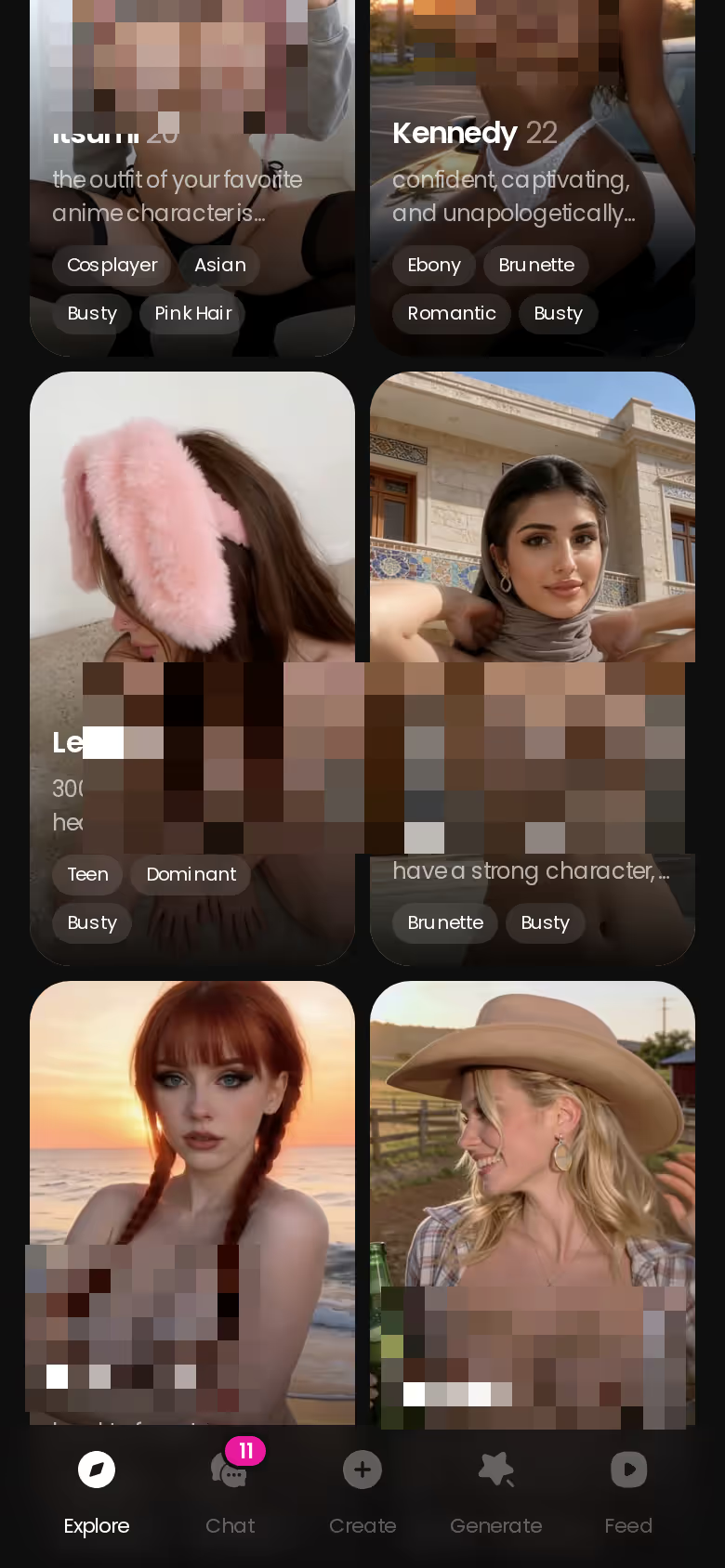
GoLove.ai scores well on both rows. Nobody real gets recorded, and the character in clip one is still the character in clip ten. Browsing costs nothing, and chat opens straight from any card, so that's the place to start.
The Consent Row: Why Fictional Characters Beat Filming
The Consent Row: Why Fictional Characters Beat Filming
ASK HER FOR PHOTOS
She sends them right there in the chat.

Footage that never leaves your control
A real recording is permanent. It ends up on phones, cloud backups and old laptops. A breakup, a hacked account or one careless share can put it in front of people neither of you chose, and you can't un-film it.
The real-person likeness line
AI doesn't erase the rules. It moves them. Everyone depicted must be an adult. Nobody's real face goes into a generator without their consent, whether it's an ex, a celebrity or a coworker. Non-consensual deepfakes are illegal in many jurisdictions, and the harm is real even where the law lags. So, is AI porn legal? Fictional adult characters generally sit on the safe side, and real likenesses used without consent don't. Check your local law.
What "zero real people" actually buys you
There's no partner to persuade, no file of your body and no likeness to steal. The worst-case leak is a clip of someone who doesn't exist.
Before you generate anything
- [ ] Adults only, fictional characters only
- [ ] No uploaded photos of real people, ever
- [ ] Read the platform's content and usage terms
- [ ] Use a private device and account
- [ ] Decide the character before the scene
Start With the Character, Not the Prompt
Start With the Character, Not the Prompt
The consistency row comes down to one decision you make before any video exists. Prompt-first tools invent a new person with each render. GoLove's generator works per character, so whoever you pick appears in every clip, photo and chat that follows.
Picking a ready-made character from Explore
Explore is the low-effort path. Realistic profiles show by default, and the 300+ anime girlfriends have their own category. Chat opens straight from the character card. Many profiles also carry a content library with Videos and Photos tabs, so you can judge the look before spending anything.
Building your own in the create wizard
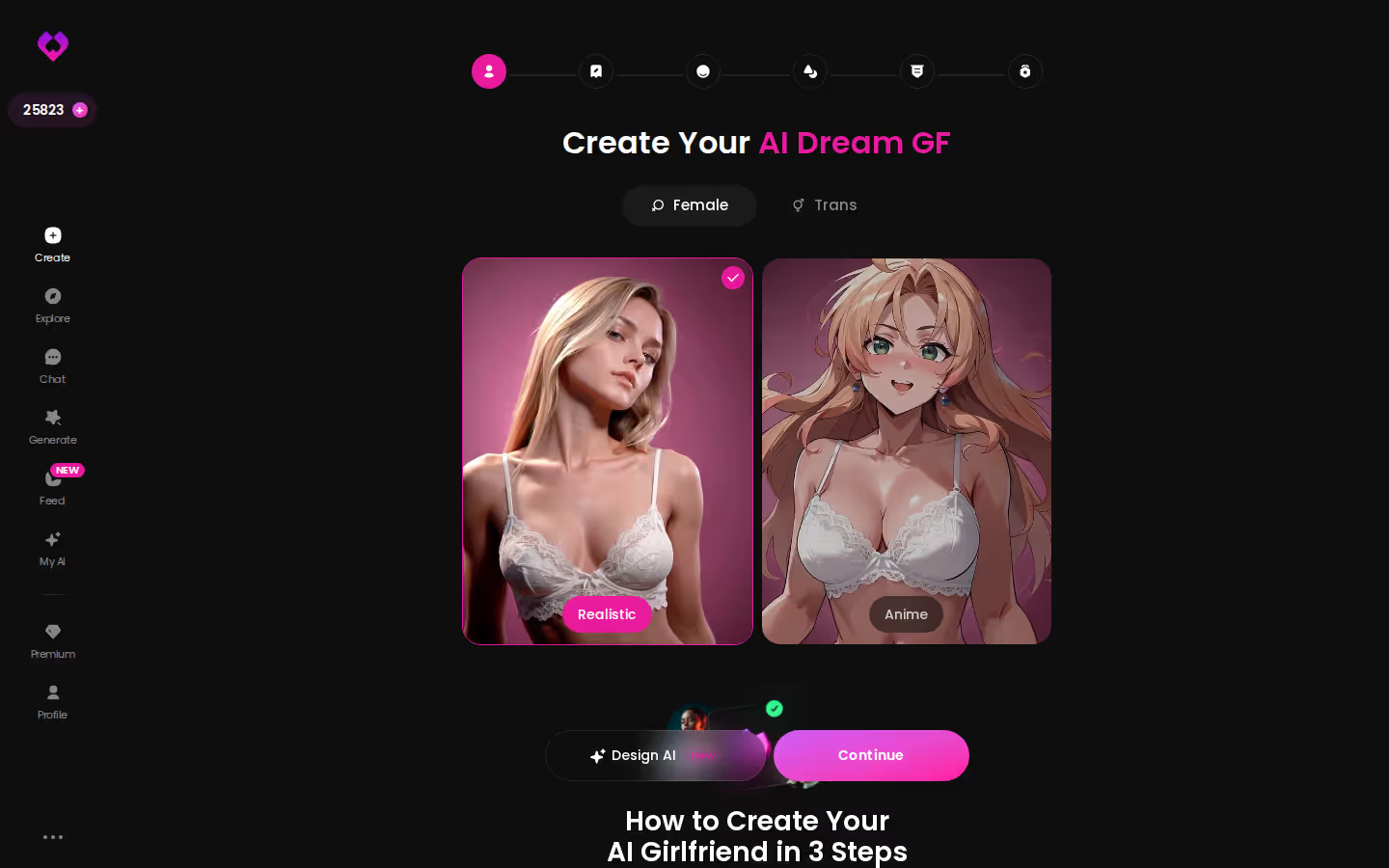
The wizard opens on three choices, and they shape everything you can generate later:
- Female/Trans toggle: decides which mode set applies (trans has 35 video modes of its own)
- Realistic or Anime cards: this is the setting that matters most, since realistic unlocks 76 video modes and anime 20
- Design with AI: describe a concept in plain text and the app generates the character, which is spot on if you know the vibe but not the details
Characters you can open right now
Tap any of them and the chat starts there






Generating the Clip: Preset Cards vs Custom Prompts
Generating the Clip: Preset Cards vs Custom Prompts
Preset cards
This is the low-effort route and where most people should start. A clip is assembled from visual cards: an action like Twerk or Hard Doggy Style, then Clothes, then Background. The cards work with any GoLove character or one you created yourself.
- Tap Generate in the bottom nav and switch to the Video tab.
- Swap the avatar in the top-right to your character.
- Pick an action card, a clothes card and a background card, or load a saved entry from Presets.
- Tap Generate once.
Custom video on mobile
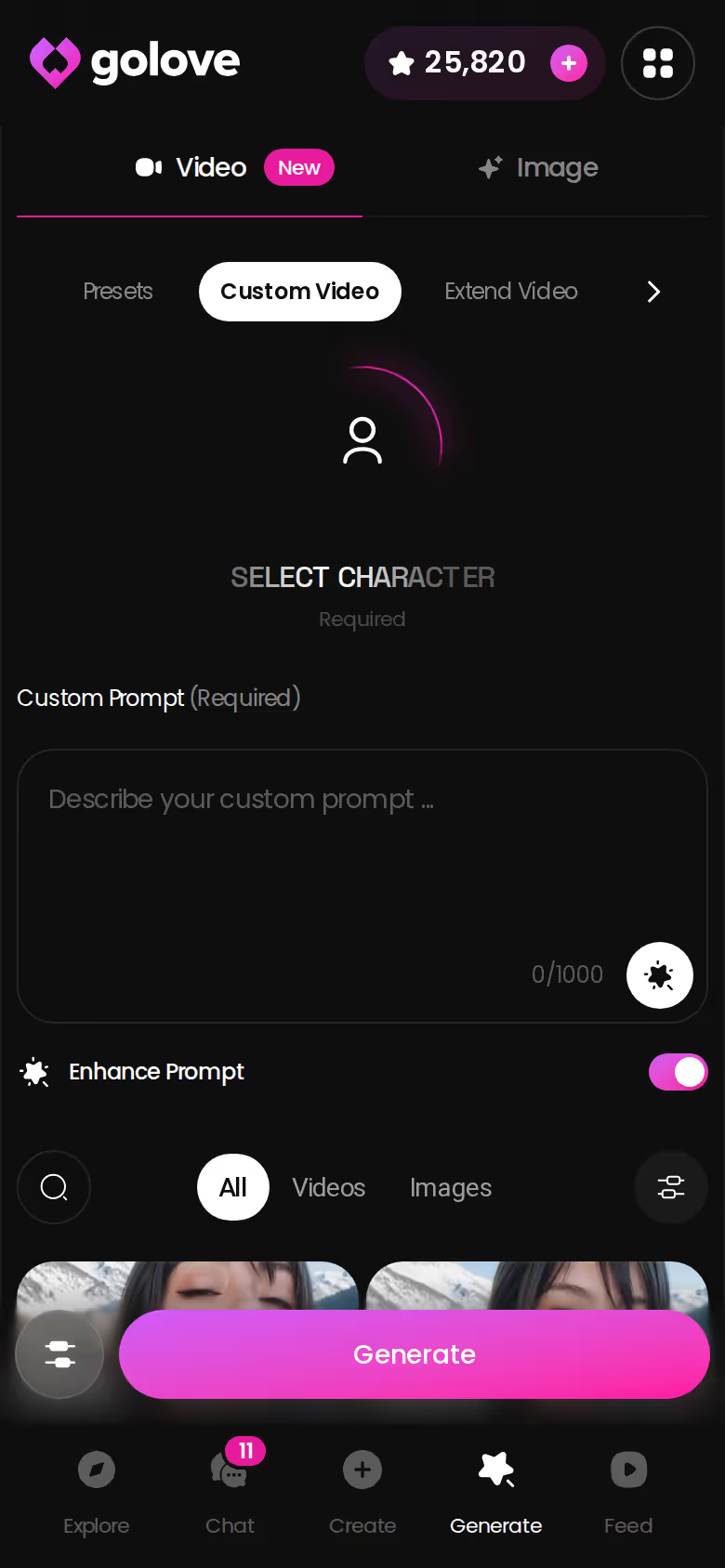
When no card fits, write the scene yourself, choose your settings and generate. You get the same character, described in your words instead of a preset's.
Photo-to-video
Already have a GoLove photo you like? In chat, Generate Video from Photo animates it, so the look you approved is the look that moves. Use it only on images of GoLove characters, never on uploads of real people.
Do I need prompt skills? No. The cards cover 147 video modes across realistic, anime, trans and anime-trans. Prompting only matters when you want something none of them describe.
From Chat Message to Video: One Session Walk-Through
From Chat Message to Video: One Session Walk-Through
Here's the flow step by step, using only what the app actually offers.
BUILD HER YOUR WAY
Face, voice and personality, all set by you.
Open a chat with a character you picked. Before typing, open Chat Settings. The setting that matters most here is the lust level, which runs across five steps from sweet to unfiltered. Response length also runs 1 to 5 and decides whether she answers with a snappy line or a full, immersive paragraph. Set both first, then flirt and build the mood.
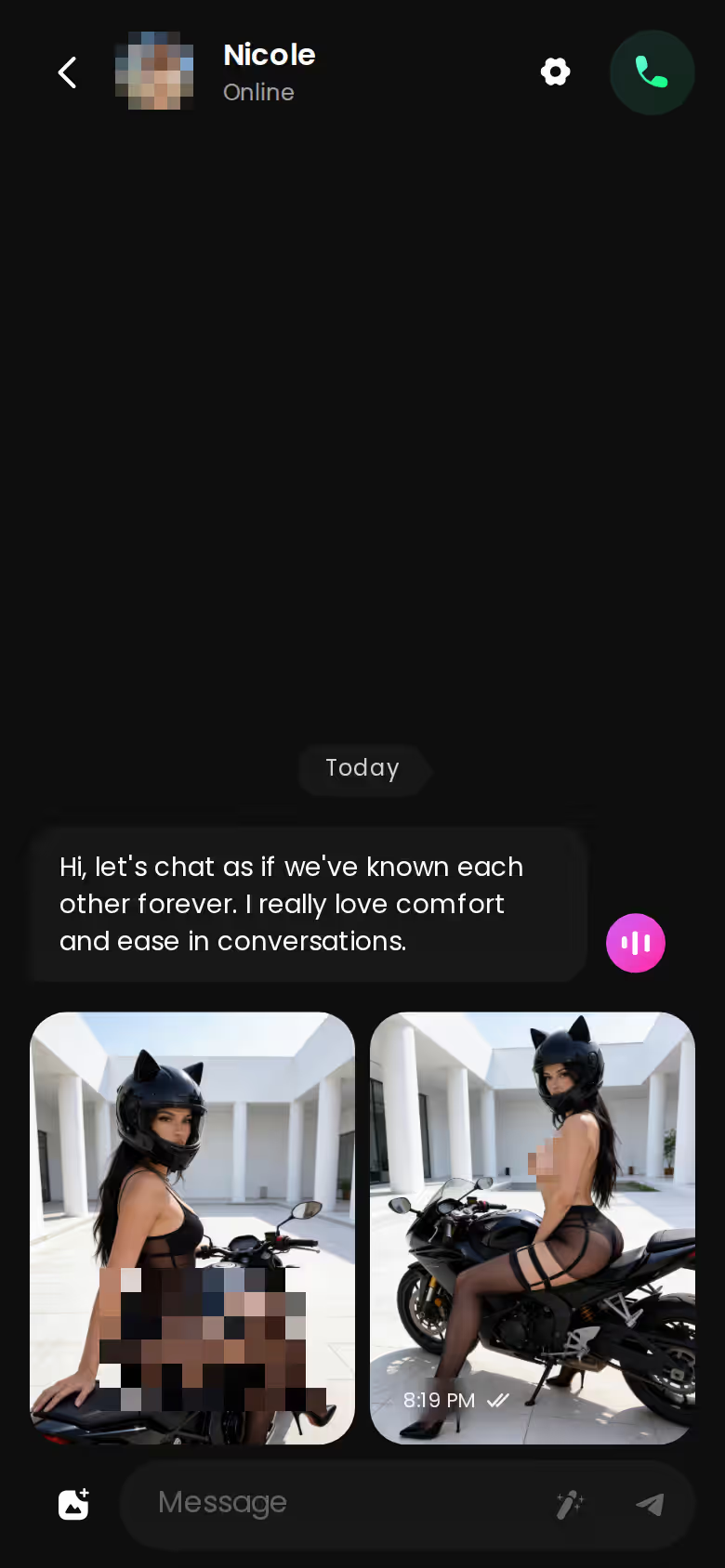
Requesting the photo in chat
Ask for a photo inside the conversation, since Request Photos in Chat is built in. The reply comes back in character, and the image lands in the thread as part of the scene instead of as a cold render on a separate page.
Turning it into motion
Tap Generate Video from Photo on that image. Then open Video Actions, the Select Action modal, to push the scene further without leaving the chat. Memory keeps the conversation's history, so your next message, photo or clip continues the same story instead of restarting it.
Generic tools can't close this gap. They render clips, while GoLove keeps a thread going. If this flow suits you, the generator is one tab away and already knows which character you're talking to.
Remix the Feed, Then Keep Your Character Consistent
Remix the Feed, Then Keep Your Character Consistent
Per-clip remix in the Feed
The Feed is a vertical stream of AI clips that you swipe through one character at a time. Tap the magic wand on any clip and Remix opens the generator preloaded with that character and the exact settings behind it. You can tweak one thing and regenerate, or swap in your own character. That solves the effort row, because you start from something that already works. Free users get a limited number of new Feed videos per day, and PRO removes the cap.
What good looks like, in one checklist:
- Real-time voice calls with per-character voices
- Memory across chats — she remembers your details
- In-chat image generation — 35 poses and 21 outfits
- 2 reward stars every day you log in
Gallery and chats roster
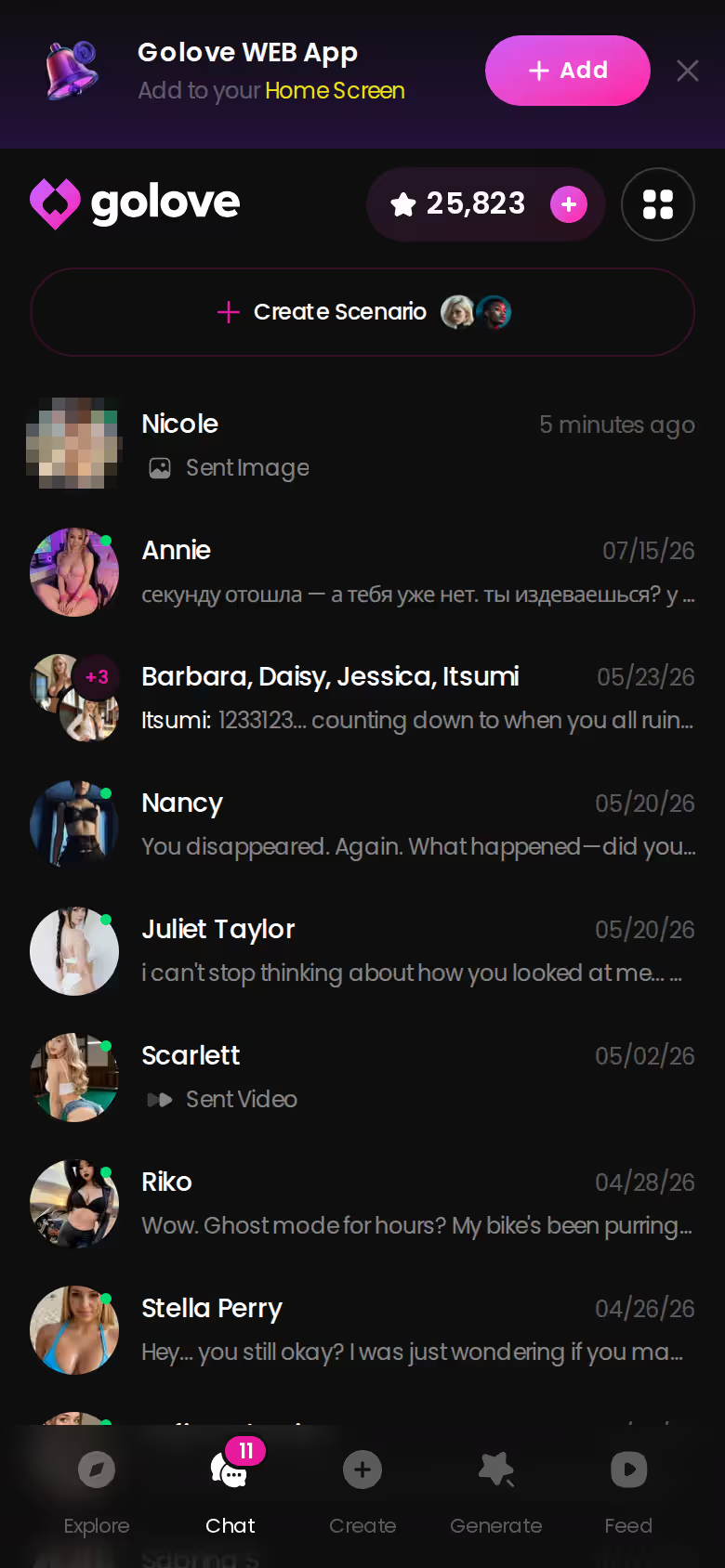
Every character you talk to stays in the Chats list, and each one keeps a Gallery sorted by date. Your results don't get scattered across download folders.
Memory between sessions
Memory carries chat history forward, so a later scene can build on earlier ones instead of resetting the mood.
Remix vs building from scratch
- Remix: fastest route to a good clip, but you inherit someone else's settings
- Scratch: full say over every card, with more trial and error and a few rough-around-the-edges first attempts
- Either way: your character stays fixed
What We Couldn't Verify at GoLove.ai
What We Couldn't Verify at GoLove.ai
Fair is fair. The published facts leave some things unsettled, and they're worth checking before you pay.
- Clip length: there's no confirmed maximum length per generation.
- Pricing: PRO was about $19.99/month when checked in July 2026, but regional pricing and -50%/-70% promos move that number. The Star cost per video isn't confirmed either, so price a few clips before you buy a pack.
- Face consistency: every generation uses your saved character, but how stable the face stays across many clips is unconfirmed.
- Export terms: read what you're allowed to do with downloaded videos.
There's also a real trade-off. You give up the tweak-every-setting depth of a local model and the realness of filming. In return, no real body is ever on file and your character stays the same from clip to clip. For this job, that's still the better deal, and the core workflow holds up.
Camera vs Generator: The Rows That Decide It
Camera vs Generator: The Rows That Decide It
Back to the scorecard. On consent and leak risk, GoLove.ai wins outright, because it uses fictional adults and leaves no real footage to lose. It also wins on character consistency, since every clip, photo and chat runs through one saved character. Creative control is closer. Local models go deeper if you can tune them, but 147 video modes, 89 picture poses and a custom prompt cover nearly anything without a GPU rig.
> Verdict: For most adults, a character-based generator beats a camera. > > Still film for real if: you're two consenting adults who want the real thing and accept that the file is permanent. Keep it offline. > > Use GoLove.ai if: you want explicit video with zero real people involved, plus a companion who carries photos, chat and memory into every scene.
GoLove.ai is my pick. Building your own character takes a few taps in the wizard, and she stays the star of every clip after.
Frequently Asked Questions
Related Articles
Best AI Nude Generators: Which Apps Actually Work?
Best AI nude generators compared: GoLove wins with live photo requests, memory and photo-to-video — not static one-off images. See the full ranking.

NSFW Vid Generators: What Actually Works in 2026
NSFW vid tools compared — GoLove.ai wins on video that stays in character, from preset clips to photo-to-video. Compare the picks and start from Explore.
Uncensored AI Image Generator: Honest 2026 Ranking
Uncensored AI image generator, tested — GoLove.ai wins on photo realism and memory, not just filters. See characters, instant-access.
NSFW AI Video Generator No Limit: What Actually Works
NSFW AI video generator no limit? GoLove.ai wins on real character memory and unrestricted video generation — see how it compares, no card required to start.
This article contains affiliate links. We may earn a commission at no extra cost to you if you sign up through our links. See how we test.